

Understanding WordPress and Webflow
Before delving into the advantages and limitations of each CMS (content management system)it is important to know what they are. Let’s start with WordPress.
What is WordPress?
WordPress.org is a content management system (CMS) used to create and manage websites. It is open source and has seen tremendous growth over the yearsbecoming one of the most popular CMS on the market. Thanks to its flexibility and large developer community, WordPress is a reliable solution for websites of all sizes and complexity.
What is WebFlow?
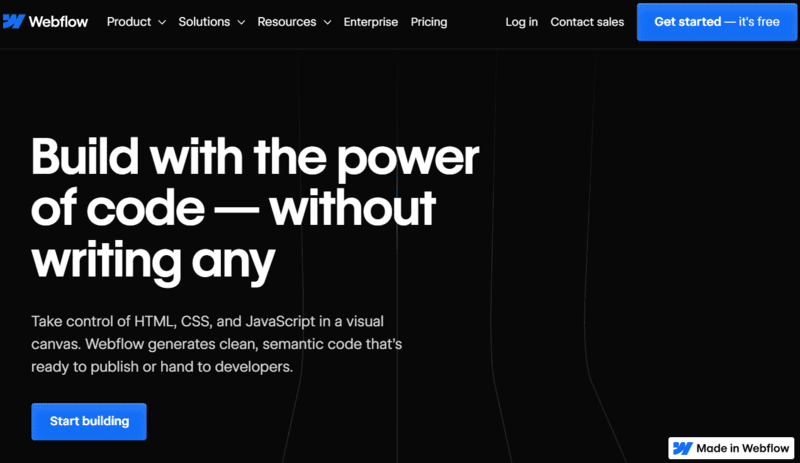
Webflow.com, on the other hand, is a visual web design and development platform. Unlike WordPress, it is a Cloud-based service that allows users to design websites using drag-and-drop tools and advanced customization features. Webflow is often touted as a WordPress alternative for designers who want more creative freedom in designing their websites.
Let’s now move on to a more detailed comparison between these two platforms. WordPress, thanks to its popularity and long history, offers a wide range of themes and plugins to customize websites. However, this abundance of choice can sometimes make the platform a little complex for beginners.
On the other hand, Webflow stands out for its visual approach and user-friendly interfacemaking it an attractive tool for designers who want complete control over the look and feel of their site. However, this creative freedom can sometimes be limited by the technical constraints of the platform.
Read also: Common WordPress errors
The advantages of WordPress
Let’s now move on to the specific advantages of WordPress, which make this platform attractive to many users.
Flexibility and customization with WordPress
WordPress offers a unprecedented flexibility in customization. With thousands of themes and plugins available, you can easily tailor your website to the specific needs of your business or project.
WordPress’ intuitive interface also allows you to edit your website in real time, without the need for advanced coding skills.
The WordPress community
WordPress also benefits from a active and engaged community of developers and designers. If you run into problems or need help, you can always count on an extensive knowledge base and support forum to find answers to your questions.
The WordPress community is a true dynamic ecosystem where users can share their experiences, suggestions and solutions. This creates a collaborative environment conducive to learning and continually improving your web development skills.
WordPress for SEO
Finally, WordPress is also known for its SEO capabilities. (If you need help with your site’s SEO, let me know.) The basic structure of WordPress is optimized for search engines, which means that your website will have a better chance of ranking high in search results.
Additionally, there are many dedicated SEO plugins, such as Yoast SEO or Rank math, that allow you to easily optimize your website content for search engines. There are also plugins to easily create your site.
The limits of Webflow
Now that we’ve explored the benefits of WordPress, we’ll look at the limitations of Webflow.
Before we delve into the details of Webflow’s limitations, it’s worth noting that this visual CMS offers a unique approach to website creation. With an intuitive interface and powerful design tools, Webflow attracts many users looking for flexibility and control over their online design.
Web flow costs
One of the major drawbacks of Webflow is its pricing model. Webflow’s paid plans can quickly become expensiveespecially if you need advanced features or a large number of websites.
On the other hand, WordPress is open source and freemaking it a more affordable option for many users.
Design limitations with Webflow
Webflow offers a lot of creative freedom in terms of design, but it can also be a source of frustration for some users. Advanced customization features can make website design more complicatedespecially for those who have no design experience.
With WordPress, however, many themes are available with a predefined design, making it easier to create an attractive and professional website.
Speaking of design, it is essential to highlight that Webflow allows a responsive design approach, ensuring that the sites created are optimized for a fluid user experience on all devices, be they smartphones, tablets or desktop computers.
Web flow and SEO
Finally, although Webflow has some SEO features, these are not as advanced as those offered by WordPress. This means you may have difficulty optimizing your website for search engines.
Comparison of WordPress and Webflow features
Finally, let’s take a closer look at the specific features of WordPress and Webflow.
Ease of Use: WordPress vs Webflow
WordPress is often considered relatively easy to use, even for beginners. Its intuitive interface and broad knowledge base make it an accessible choice for all users.
Webflow, on the other hand, can be a little more complex, due to its wide range of design features. It can be intimidating for users who are unfamiliar with web design principles.
However, it is important to note Webflow also offers comprehensive educational resources to help users master the platform. There are detailed tutorials, explainer videos and an active user community to support users in their learning.
Design Options: WordPress vs Webflow
In terms of creative freedom, Webflow offers a more flexible solution than WordPress. With Webflow you can create unique and fully customized websites, without being limited by the constraints of predefined themes.
WordPress, for its part, offers a wide variety of pre-built themes and templateswhich makes it easy to create an aesthetically pleasing website without any design skills.
However, it’s worth pointing out that WordPress also offers advanced customization tools, such as page builders and plugins, that allow users to create unique designs and customize their site to their specific needs.
Performance and Security: WordPress vs Webflow
When it comes to performance and safety, WordPress has proven itself. Its consolidated structure and numerous security plugins ensure the stability and protection of your website.
Webflow, on the other hand, is a newer choice and may have some limitations in terms of performance and security. However, this is not to say that Webflow is less secure, but rather that WordPress has a long history of reliability in these areas.
This is important to note Webflow constantly updates its platform to improve performance and strengthen security. Measures are taken to ensure that websites created with Webflow are fast, reliable and secure.
Ultimately, the choice between WordPress and Webflow will depend on your specific design, features, cost, and SEO needs. If you’re looking for a flexible, affordable, and SEO-optimized solution, WordPress is a great choice. On the other hand, if you’re a designer looking for more creative freedom, Webflow might be the right platform for your needs.
In any case, make sure you understand the advantages and limitations of each platform before making an informed decision for your next web project.
Remember that creating a website is an ongoing and evolving process. It’s important to stay up to date with the latest trends and technologies to provide an optimal user experience for your visitors. If you want to use WordPress to create your website, do not hesitate to discover our site. Whether you choose WordPress or Webflow, be sure to continue exploring and learning to constantly improve your website.
Latest posts
Traditional vs digital advertising in 2026: which one to choose?

Duplicate Content: A Problem for Your Natural Referencing?

SEO Forums: The Complete List [2026]
How to build a successful linking strategy?

5 tips for successful marketing based on storytelling

Instagram profile photo: the practical guide [+Outils]

Twitter: 7 strategies to stand out

How to increase your awareness using digital?

Why premium domains improve your customer acquisition cost (CAC)